Launch Readiness Checker: SEO audit and 150-directory autofill
Launch Readiness Checker is a Chrome extension by Go Publicly that scores any page's SEO and social tags out of 100, then fills in your product details on 150 startup and SaaS directories.
One-time payment · No subscription · Works in Chrome
Why launches lose momentum
Launches stumble on small things: a link shared on X or Slack shows a broken preview because an Open Graph tag is missing, or the page has no description or canonical tag. Then come the directory submissions, where you paste the same 12 fields into dozens of forms.
A launch audit that scores your page out of 100
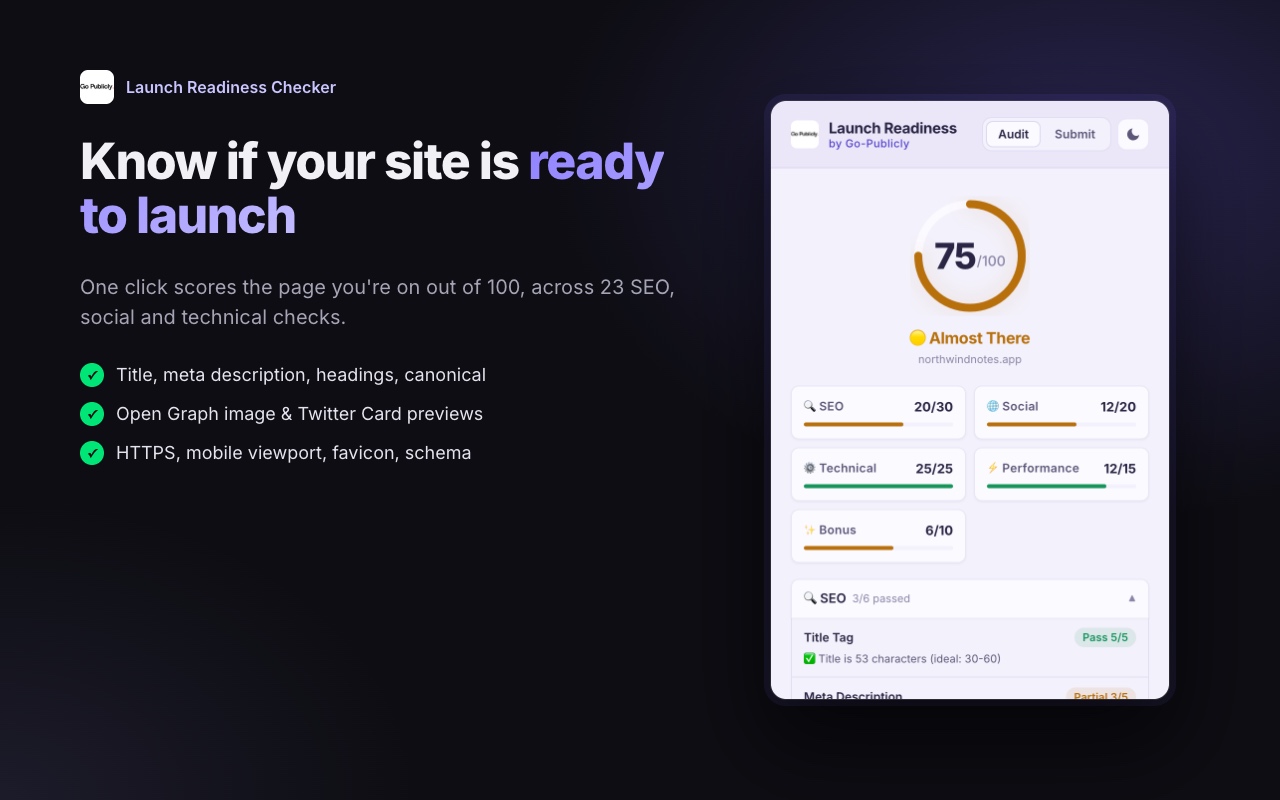
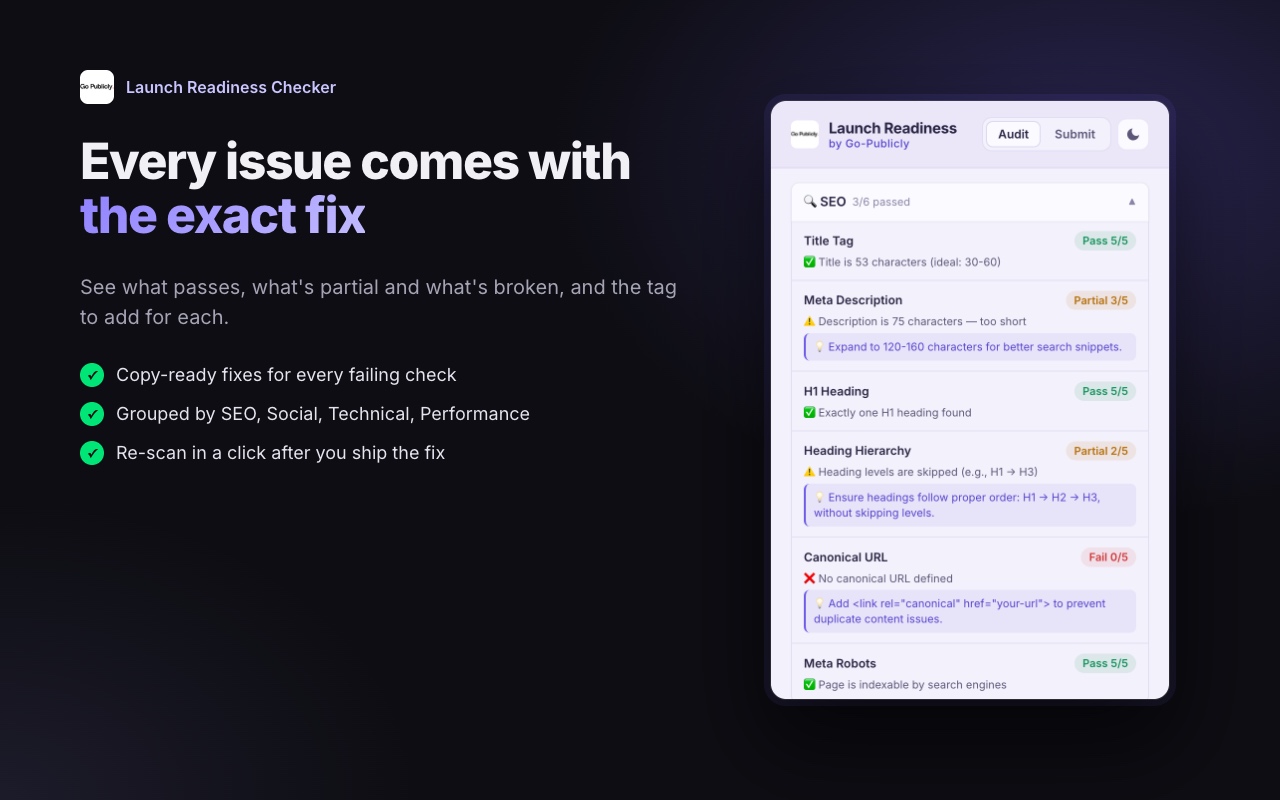
One click scores the page you're on out of 100 across 23 checks in 5 groups. Every failing check shows the exact fix, so you know what to change before you share the link.
- SEO: title length, meta description length, single H1, heading hierarchy, canonical, meta robots
- Social: og:title, og:description, og:image, og:url, twitter:card
- Technical: HTTPS, viewport, favicon, html lang, charset
- Performance: load time, image alt text, links
- Bonus: JSON-LD, social links, sitemap, apple-touch-icon
Directory autofill: one click per submit form
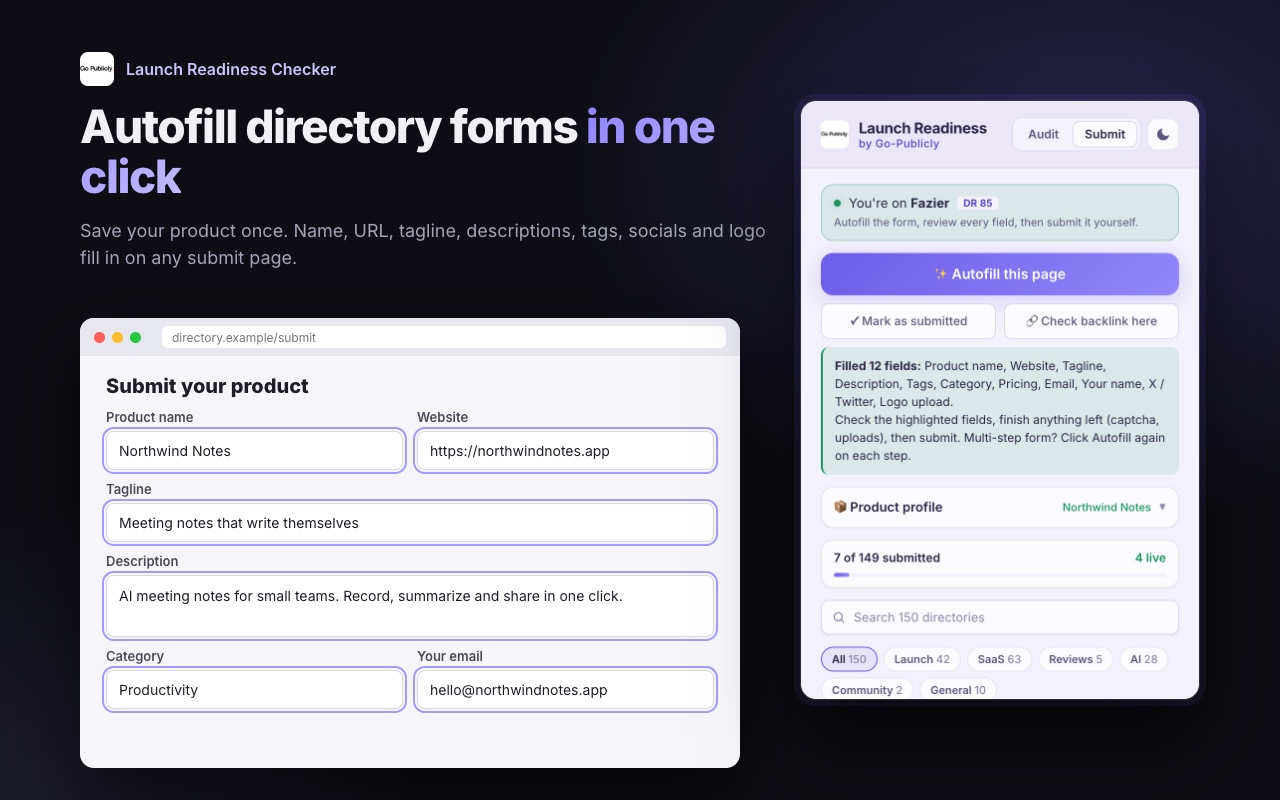
Save your product profile once; you can import it from your own site. On any directory's submit page, click "Autofill this page" and the extension fills in your name, URL, tagline, short and long descriptions, tags, category, pricing, email, socials and logo upload.
It never overwrites fields you've already typed and it never submits. You review the form and click Submit yourself.
150 directories, with DR, link type and a tracker
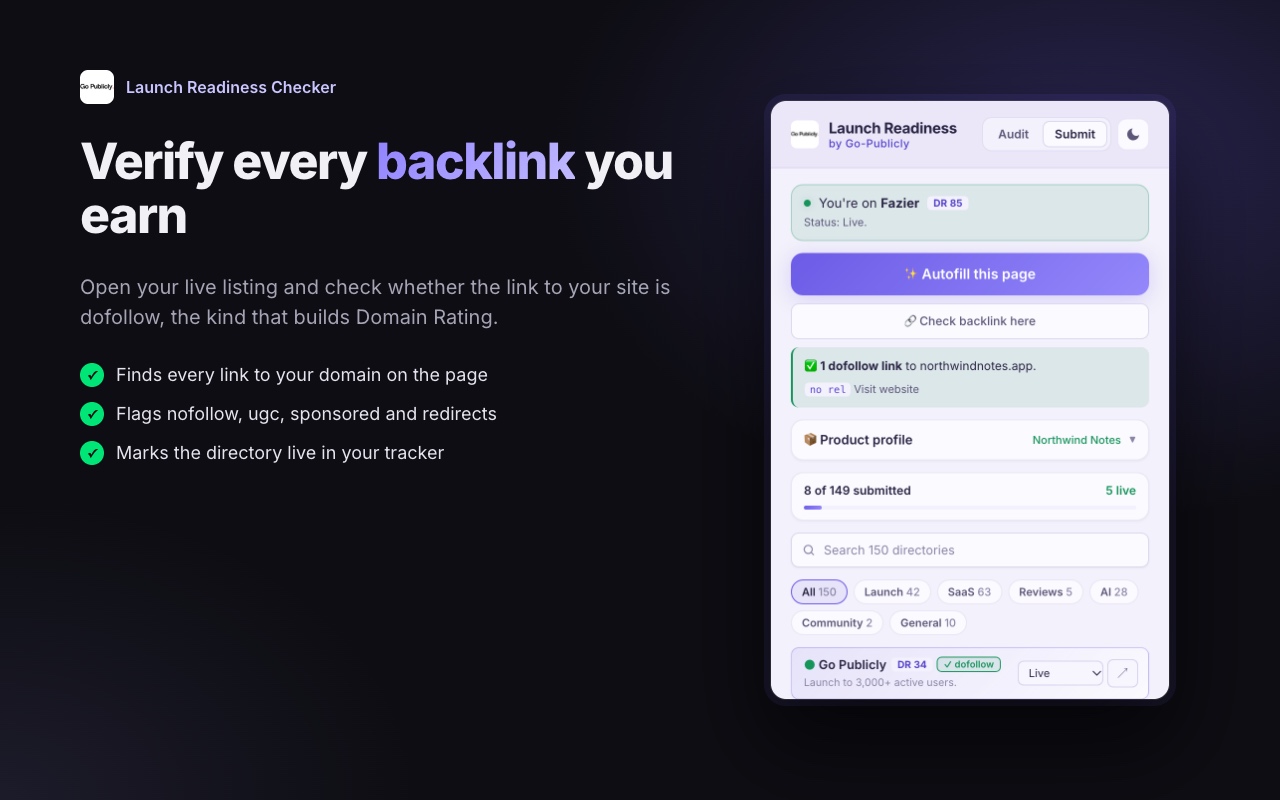
42 launch platforms, 63 SaaS and software directories, 28 AI directories, 10 general directories, 5 review sites and 2 communities. Each one shows its Ahrefs Domain Rating and whether the link is dofollow or nofollow, opens straight to its submit form, and has a To do → Submitted → Live tracker.
The directories come from the Go Publicly directories list.
Browse the directories list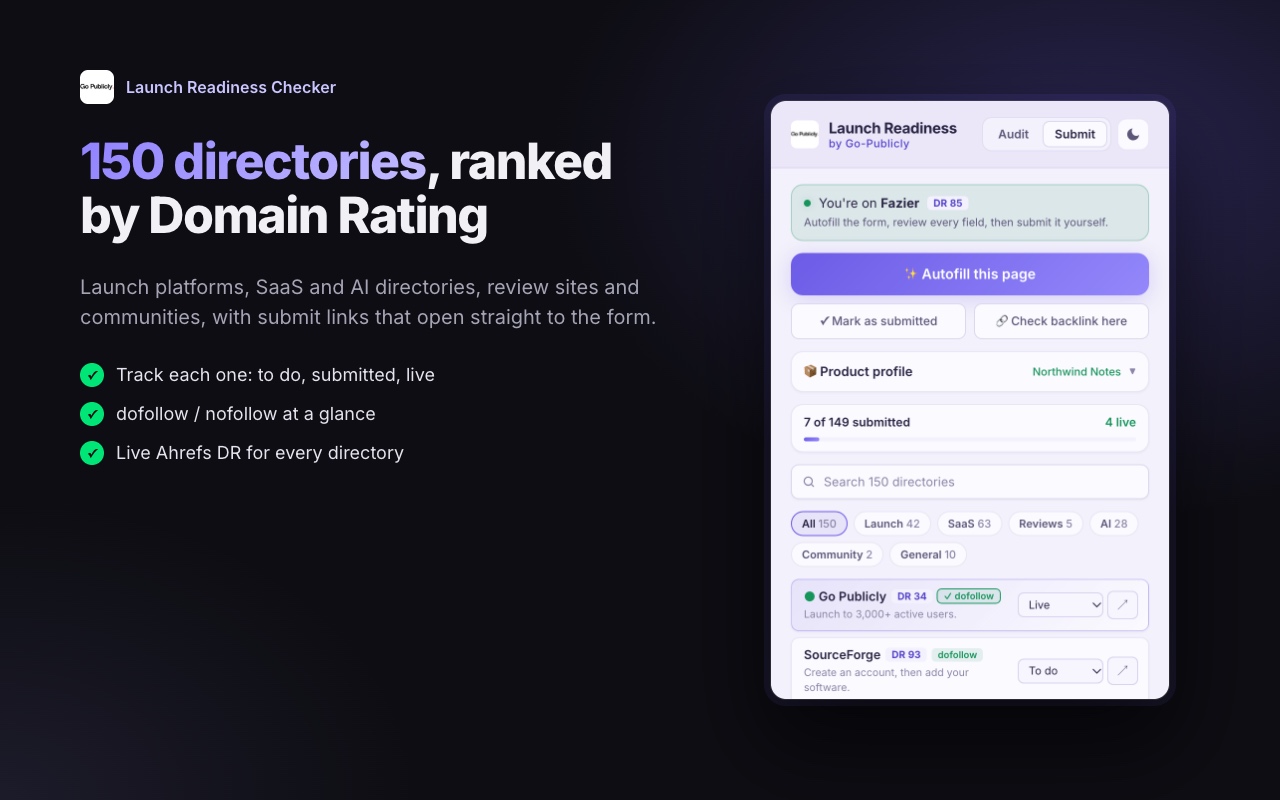
Backlink checker: is your listing dofollow?
Open a live listing and the extension finds the links to your domain and tells you whether each is dofollow, or nofollow, ugc, sponsored or a redirect. You see what each listing is actually worth.
How it works
- 1
Install and activate
Add the extension to Chrome, buy the $39 lifetime license, then click the extension icon and paste the key from your email.
- 2
Scan and fix
Open your site, click the icon and get your score out of 100. Work through the failing checks; each one tells you the fix.
- 3
Autofill and track
Save your product profile, open a directory from the list, click Autofill this page, review and submit. Mark it Submitted, then Live, and check the backlink.
By hand, done for you, or with the extension
The extension is the do-it-yourself option. If you'd rather not touch the forms at all, our done-for-you submission service does them for you.
| Compared on | By hand | Done-for-you service | Launch Readiness Checker |
|---|---|---|---|
| Cost | Free, but it costs your time | $100 per product | $39 once |
| Time | Hours of pasting the same 12 fields into every form | A short form for you; we finish in 5–7 business days | One click to fill each form, then a quick review |
| Control over each listing | Full | We write and submit for you, with a report | Full: you review every field and click Submit |
| Re-use for your next product | Start again from scratch | Pay again for each product | Edit your saved profile and run the list again |
Lifetime license
$39
once · no subscription
- Launch audit: 23 checks, scored out of 100
- Directory autofill on any submit page
- 150 directories with DR, link type and tracker
- Backlink checker for live listings
Already bought? Click the extension icon and paste your key.
Launch Readiness Checker: common questions
Is it a subscription?
No. It's a $39 one-time lifetime license with no subscription and no renewals. The license key arrives by email.
Which browsers does it work in?
It's a Chrome extension, installed from the Chrome Web Store, and it works in Google Chrome.
Does it submit forms automatically?
No. It fills in the form and never overwrites fields you've already typed. It never submits: you review the form and click Submit yourself.
What data does it collect?
It runs only on the tab you click. Page content and your product profile stay in your browser. The only thing sent anywhere is your license key, to verify the purchase. The full privacy policy is at https://launch-readiness.pages.dev/privacy.
Does it work for non-SaaS or non-AI products?
Yes. The audit works on any web page, and the 150 directories include launch platforms, review sites, communities and general directories as well as SaaS and AI directories.
How is Domain Rating measured?
Each directory's Domain Rating is Ahrefs' Domain Rating, a 0–100 score of the strength of a site's backlink profile.
What if a directory's form isn't filled?
Some directories embed their form from a tool like Tally or Typeform. Open that form in its own tab and click Autofill this page there.
Fix your launch page, then get it listed on 150 directories
One-time payment · No subscription · Works in Chrome